All homelab notes and experiments.

Setting up Traefik as a Reverse Proxy in Proxmox
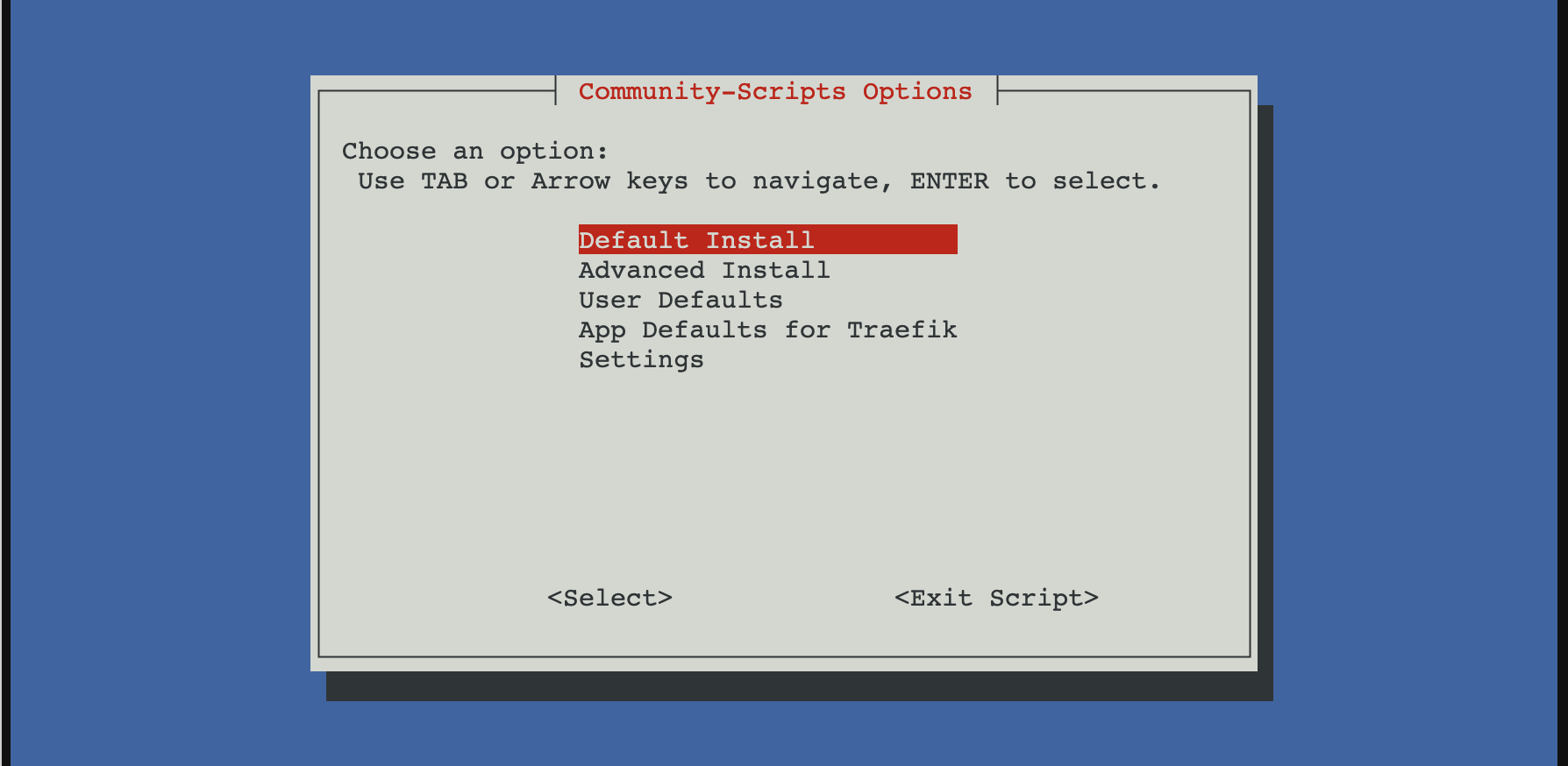
Proxmox community script options for Traefik

I wanted a simple way to run Traefik in my homelab with minimal setup friction, so I started with the Proxmox community script. It spins up a working LXC with Traefik already installed and running. I use it as a replacement for Nginx Proxy Manager and as the single entry point to every service in my homelab.

Install Traefik using the Proxmox community script

From the Proxmox host:

bash -c "$(curl -fsSL https://raw.githubusercontent.com/community-scripts/ProxmoxVE/main/ct/traefik.sh)"

After install, Traefik runs as a systemd service inside the LXC.

Static config:

/etc/traefik/traefik.yaml

Dynamic config (file provider):

/etc/traefik/conf.d/

Basic layout

I kept things simple and explicit.

  • Static config for entry points, providers, ACME
  • File provider for routers and services
  • One service per file

This makes failures obvious and debugging easier.

Entry points

No global redirects.

entryPoints:
  web:
    address: ":80"
  websecure:
    address: ":443"

Redirects are handled later using middleware.

File provider

Enabled in the static config:

providers:
  file:
    directory: /etc/traefik/conf.d/
    watch: true

Let’s Encrypt with HTTP-01

This is where most of the issues were.

certificatesResolvers:
  letsencrypt:
    acme:
      email: "[email protected]"
      storage: /etc/traefik/ssl/acme.json
      httpChallenge:
        entryPoint: web

Key points:

  • HTTP-01 must be explicitly enabled
  • Port 80 must not force-redirect to HTTPS
  • The ACME storage path must be exact

A single-character typo in the storage path caused Traefik to fail silently. acme.json stayed empty and no certificate was ever requested.

Router example

http:
  routers:
    nvr:
      rule: "Host(`nvr.example.com`)"
      entryPoints:
        - websecure
      tls:
        certResolver: letsencrypt
      service: nvr

  services:
    nvr:
      loadBalancer:
        servers:
          - url: "http://192.168.0.155:5000"

ACME only runs after a router with tls.certResolver matches an incoming HTTPS request. Nothing happens on startup.

Redirect HTTP to HTTPS properly

Do not use entryPoint-level redirects. They break ACME.

Use middleware instead:

http:
  middlewares:
    redirect-https:
      redirectScheme:
        scheme: https
        permanent: true

Apply it only to normal routers.

Logging with systemd

Traefik was running, but logs were invisible until logging was explicitly enabled.

log:
  level: DEBUG

Once enabled, journald immediately showed useful errors like:

HTTP challenge is not enabled

Without logs, this setup looks like it is working while doing nothing.

Notes

  • EntryPoint-level redirects break ACME
  • HTTP-01 must be explicitly enabled
  • Traefik fails silently on ACME storage path errors
  • Certificates are requested only after a matching HTTPS request
  • Logs are not optional when running under systemd

Once those were aligned, Let’s Encrypt issued certificates immediately.

After setting Traefik, I just need to configure my router to forward external requests to my Traefik local IP, then it will proxy the request to another service based on the domain.
Migrating from a TP-Link Managed Switch to Juniper EX2200

I hit the VLAN 1 failure pattern while migrating from a consumer TP-Link managed switch to a Juniper EX2200. The configs looked equivalent, but the behavior was not.

Consumer switches are forgiving:

  • Trunk ports behave like access ports with extras
  • “Allow all VLANs” plus PVID feels safe
  • End devices often work on trunks accidentally

On the EX2200:

  • Trunks are for VLAN-aware devices only
  • Native VLAN is not a substitute for access ports
  • VLAN 1 must not be implicitly tagged
  • Ambiguous configs are accepted but behave differently

The fix was mostly mental model. Once I treated trunks as trunk-only and made VLAN intent explicit everywhere, VLAN 1 behaved and DHCP stopped failing silently.

For the working port and VLAN patterns, see: Juniper EX2200 VLAN Reference.

Expanding an OPNsense VM disk

After resizing the VM disk at the host level, OPNsense does not automatically use the extra space. gpart show may report the disk as corrupt. This is expected.

What is actually happening is the backup GPT header is still at the old end of the disk.

Fix

Enter the console shell.

Repair GPT metadata. This does not touch data.

gpart recover ada0

Resize the root partition. On a default UFS install this is freebsd-ufs, usually partition 3.
gpart resize -i 3 ada0

Grow the filesystem.
growfs /

Verify.

df -h

Notes

  • Applies to UFS installs
  • The corruption warning after a disk resize is normal
  • No reinstall required

Juniper EX2200 VLAN Reference

This is a reference note for configuring VLANs on a Juniper EX2200, written after running into a subtle but repeatable failure mode around VLAN 1. If you are migrating from a TP-Link managed switch, start here: Migrating from a TP-Link Managed Switch to Juniper EX2200.

The short version: the EX2200 is strict. Ambiguous VLAN configuration will not fail loudly, but it will break untagged traffic in ways that are easy to misdiagnose.

Core concepts that matter on EX2200

  • default should be explicitly set to VLAN 1
  • VLAN 1 uses tag value 0
  • A trunk port with a native VLAN is not equivalent to an access port
  • vlan members all is dangerous when a native VLAN is present

If you remember nothing else, remember the last point.

The failure pattern

This configuration looks reasonable but breaks VLAN 1:

  • Port mode: trunk
  • Native VLAN: 1
  • vlan members all

In this state:

  • Tagged VLANs work
  • Untagged VLAN 1 does not
  • DHCP fails silently
  • Clients, AP management, and anything relying on untagged traffic break

The switch is doing exactly what it was told. The problem is that VLAN 1 ends up treated as both tagged and untagged.

The working model

The EX2200 behaves predictably when VLAN intent is explicit.

Access ports

  • Used for non VLAN-aware devices
  • Untagged only
  • VLAN 1 only

Trunk ports

  • Used for VLAN-aware devices
  • Native VLAN 1 for untagged management traffic
  • Explicit list of tagged VLANs
  • Never use all
  • Never include default

This maps cleanly to common homelab gear:

  • Wired clients and CCTV use access ports
  • Omada access points use trunks with native VLAN 1 and tagged SSID VLANs
  • Proxmox hosts use trunks with native VLAN 1 and tagged VM VLANs
  • OPNsense uplinks use trunks with native VLAN 1 and explicitly listed VLANs

Reference commands

Define VLANs

set vlans default vlan-id 1
set vlans vlan2 vlan-id 2
set vlans vlan100 vlan-id 100
set vlans vlan2000 vlan-id 2000

Access port (VLAN 1, untagged)

set interfaces ge-0/0/X unit 0 family ethernet-switching port-mode access
set interfaces ge-0/0/X unit 0 family ethernet-switching vlan members default

Use for:

  • Laptops
  • CCTV
  • Any non VLAN-aware device

Trunk port with native VLAN 1

set interfaces ge-0/0/X unit 0 family ethernet-switching port-mode trunk
set interfaces ge-0/0/X unit 0 family ethernet-switching native-vlan-id 1
set interfaces ge-0/0/X unit 0 family ethernet-switching vlan members [ vlan2 vlan100 vlan2000 ]

Rules:

  • Never use vlan members all
  • Never include default
  • Native VLAN carries VLAN 1 implicitly

Omada access point trunk

set interfaces ge-0/0/X unit 0 family ethernet-switching port-mode trunk
set interfaces ge-0/0/X unit 0 family ethernet-switching native-vlan-id 1
set interfaces ge-0/0/X unit 0 family ethernet-switching vlan members [ vlan2 vlan100 ]
set interfaces ge-0/0/47 unit 0 family ethernet-switching port-mode trunk
set interfaces ge-0/0/47 unit 0 family ethernet-switching native-vlan-id 1
set interfaces ge-0/0/47 unit 0 family ethernet-switching vlan members [ vlan2 vlan100 vlan2000 ]

Proxmox host trunk

set interfaces ge-0/0/46 unit 0 family ethernet-switching port-mode trunk
set interfaces ge-0/0/46 unit 0 family ethernet-switching native-vlan-id 1
set interfaces ge-0/0/46 unit 0 family ethernet-switching vlan members [ vlan2 vlan100 vlan2000 ]

Verify configuration

show configuration
show configuration | display set
show configuration interfaces ge-0/0/X
show configuration vlans

Verify VLAN behavior

show vlans
show vlans default
show ethernet-switching interfaces
show ethernet-switching table interface ge-0/0/X

Cleanup commands

delete interfaces interface-range ALL-PORTS
delete interfaces ge-0/0/X unit 0 family ethernet-switching vlan members all

This is a reference, not a tutorial. It exists so future me does not relearn the same lesson the hard way.

Showing 4 of 56 notes